Facebook Video Downloader
Paste a public Facebook video or Reel link and save it as an MP4 in 720p HD or 360p SD. Free, with no account needed.

Why Use FBSave
HD or SD Facebook Video Download
Each video comes with an HD (720p) and an SD (360p) MP4 to choose from.
Facebook Reel Downloader
The Facebook reel downloader keeps Reels vertical.
No Login Needed
FBSave does not ask you to sign in, so you can download Facebook videos without an account.
A Short Wait
In our test the HD and SD options appeared after about ten seconds.
How to Download a Facebook Video in 3 Steps
FBSave does the rest.
- 1
Copy the Facebook video link
Copy the link of the public video or Reel you want to keep. - 2
Paste it into FBSave
Drop the link in the box above and wait for the download options. - 3
Save the HD or SD file
Press a Download button and FBSave lets you download Facebook video as an MP4.
Download Facebook Videos & Reels in HD
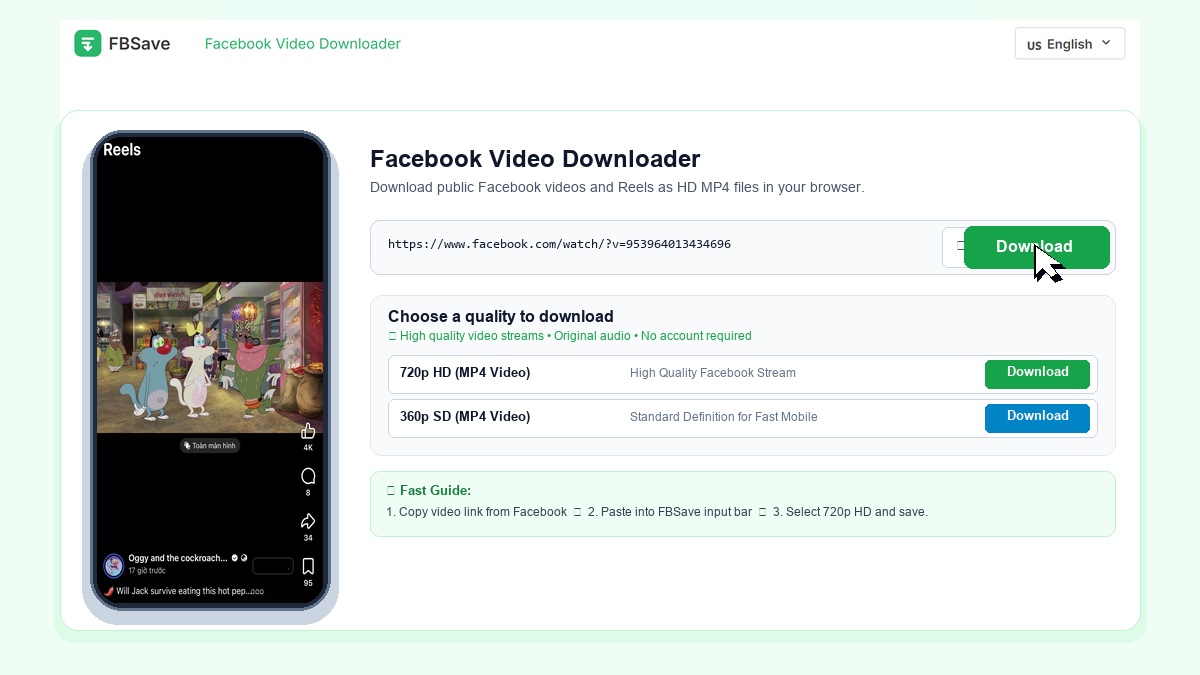
FBSave is a web utility engineered to save public Facebook videos, Reels, and Watch clips directly through your modern browser. By entering a valid post link, you can save clean MP4 media files in 720p HD or compact 360p SD to your smartphone, tablet, or desktop computer. The platform requires no external application setups, browser extensions, or account credentials.
Key Features of FBSave
Clean MP4 Video
Save public Facebook clips and Reels in standard MP4 format with original synchronized audio.
HD & SD Quality
Choose 720p HD for widescreen clarity or smaller 360p SD to conserve mobile storage.
No App Required
Works directly within Safari, Chrome, Edge, and Firefox on mobile and desktop devices.
Online Web Utility
Processes public links directly in your browser without requiring personal account login.
How to Download Facebook Videos in 3 Steps
- Copy Link: On Facebook, open the video or Reel, tap Share, and select Copy Link.
- Paste into FBSave: Open FBSave in your browser, paste the link into the search bar, and click Download.
- Save Video: Choose 720p HD or 360p SD to save the MP4 video to your device.
For iPhone & iPad Users: Tap Download in Safari. When the download finishes, tap the download icon in Safari address bar, open the video, tap Share, and select Save Video to store it directly in your Photos library.
Why Choose FBSave for Downloading Facebook Content
FBSave provides a straightforward, browser-based solution for saving public Facebook videos and Reels for personal offline viewing:
- Verified Output Formats: In our test verifications, public clips can be saved in 720p HD (720x1280 vertical video, H.264/AAC) or compact 360p SD (360x640) based on available public links.
- No Account Required: Operates directly in standard web browsers without creating an account or providing social media credentials.
- Cross-Device Compatibility: Works smoothly across mobile phones, tablets, and desktop computers.
- Tested Performance: Video links are parsed and prepared within seconds during standard testing conditions.